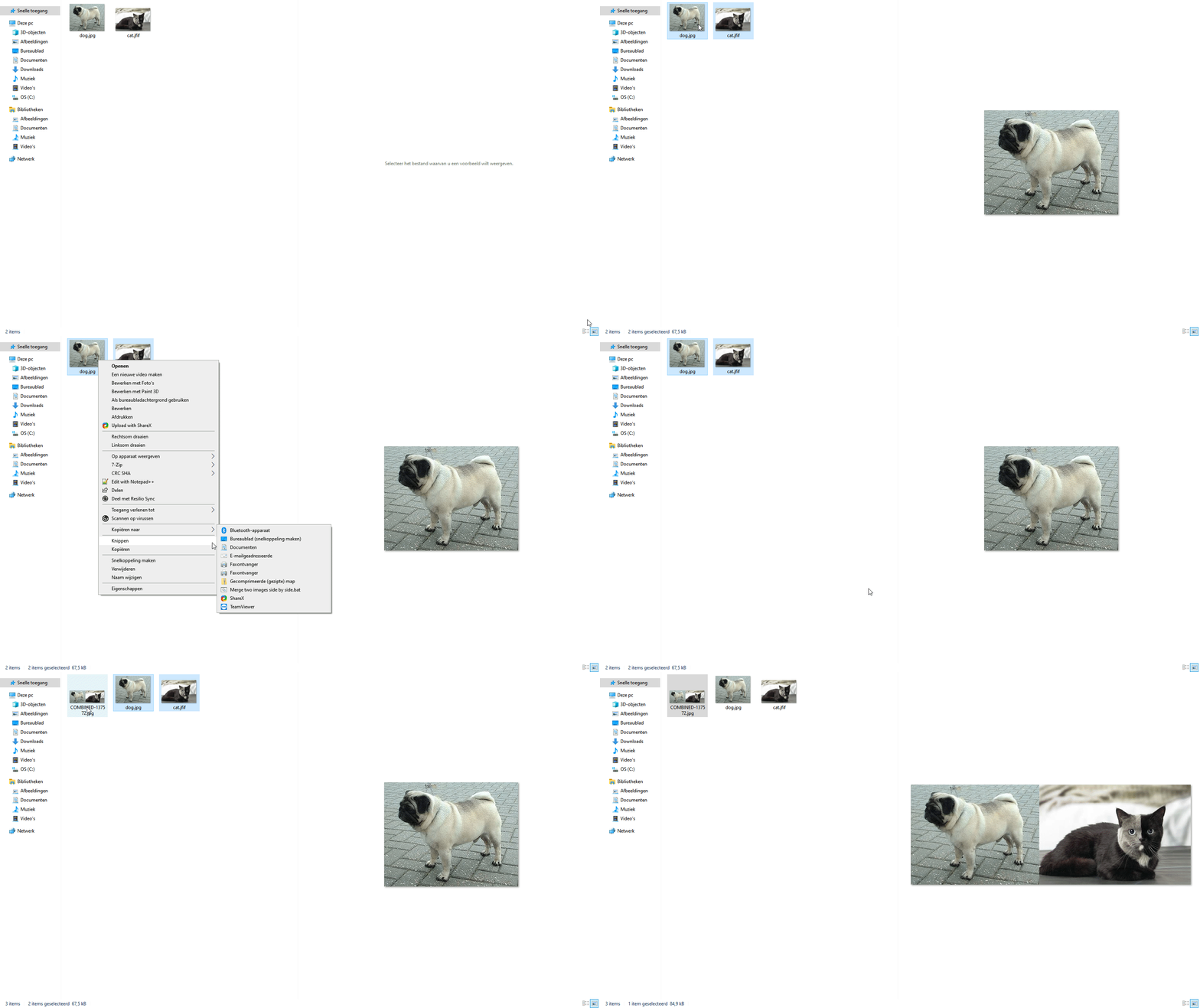
Merge two images in Windows from right-click context menu
- Download and install ImageMagick.
- Go to Windows Explorer and type sendtoin the address bar. This will open the following path:
C:\Users\
The files here will be available as actions from the Windows "Send to" right-click context menu. 3. Create a new (text) file in this directory and add the following line:
magick.exe %1 %2 -resize "x%%[fx:max(u.h,v.h)]" +append -set filename: "COMBINED-%%k" "%%[filename:].jpg"
This is essentially what will be executed when you right click two images anywhere and select the action.
- %1 and %2are the two files
- the resizeparameters makes sure the two images line up correctly, from here
- +append means the images will be merged side by side -- horizontally -- as opposed to vertically
- filenameuses %k to pass some random value to the generated new filename. Otherwise it would overwrite already existing files with the same name. By generating something unique this doesn't happen. The word COMBINEDis chosen by me, you can change this to whatever you like.
This line has extra % this is necessary when you run this script as a batch script. If you want to run it from the commandline by hand, you need to remove the double %% and replace them for single %. 4. Name this file Merge two images side by side.bat or any name you like as long it ends with .bat, so Windows knows to execute it. 5. Done!
And the result looks like this. Click image or here.